Share large files without the hassle
FlingDrop: Secure. Temporary. Simple. Upload files up to 10GB, set an expiration date, and share with anyone. Recipients never need an account.
Upload from your browser — no install needed
No setup. No accounts required.
Works anywhere. Every time.
No friction. No drama.
Features
Why choose FlingDrop?
Everything you need to share files efficiently and securely.
Instant upload
Drag and drop your files. No waiting, no hassle. Your file will be ready to share in seconds.
Native clients
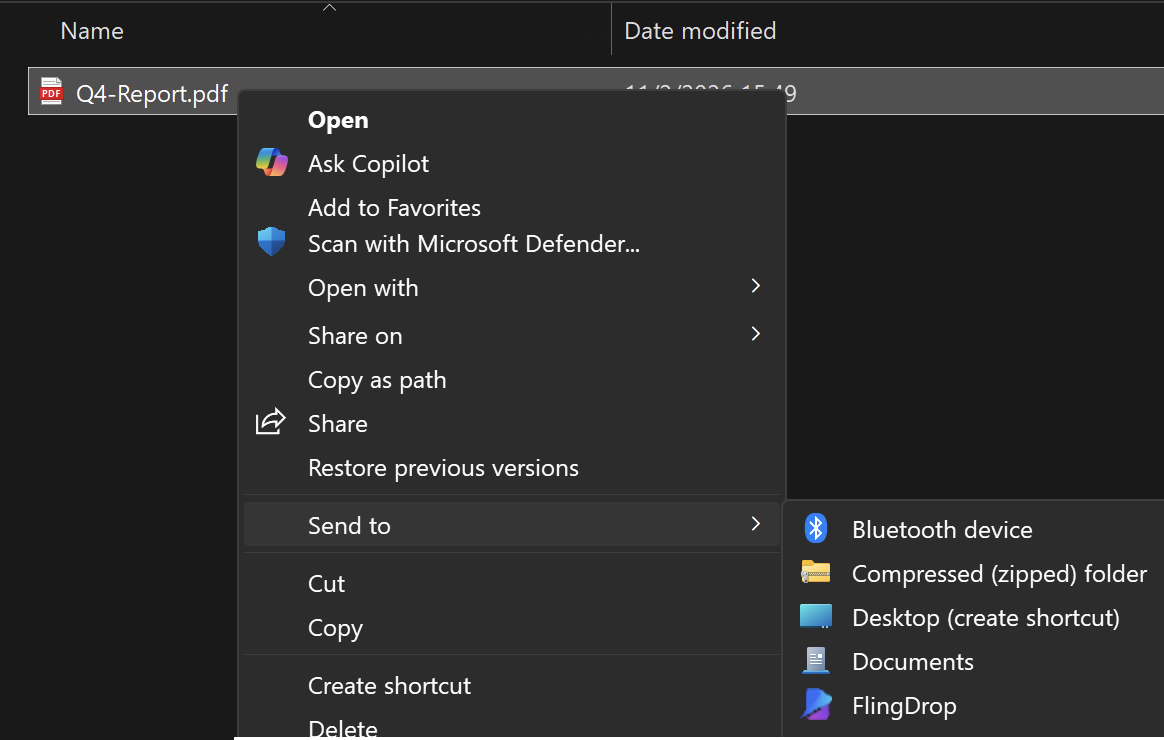
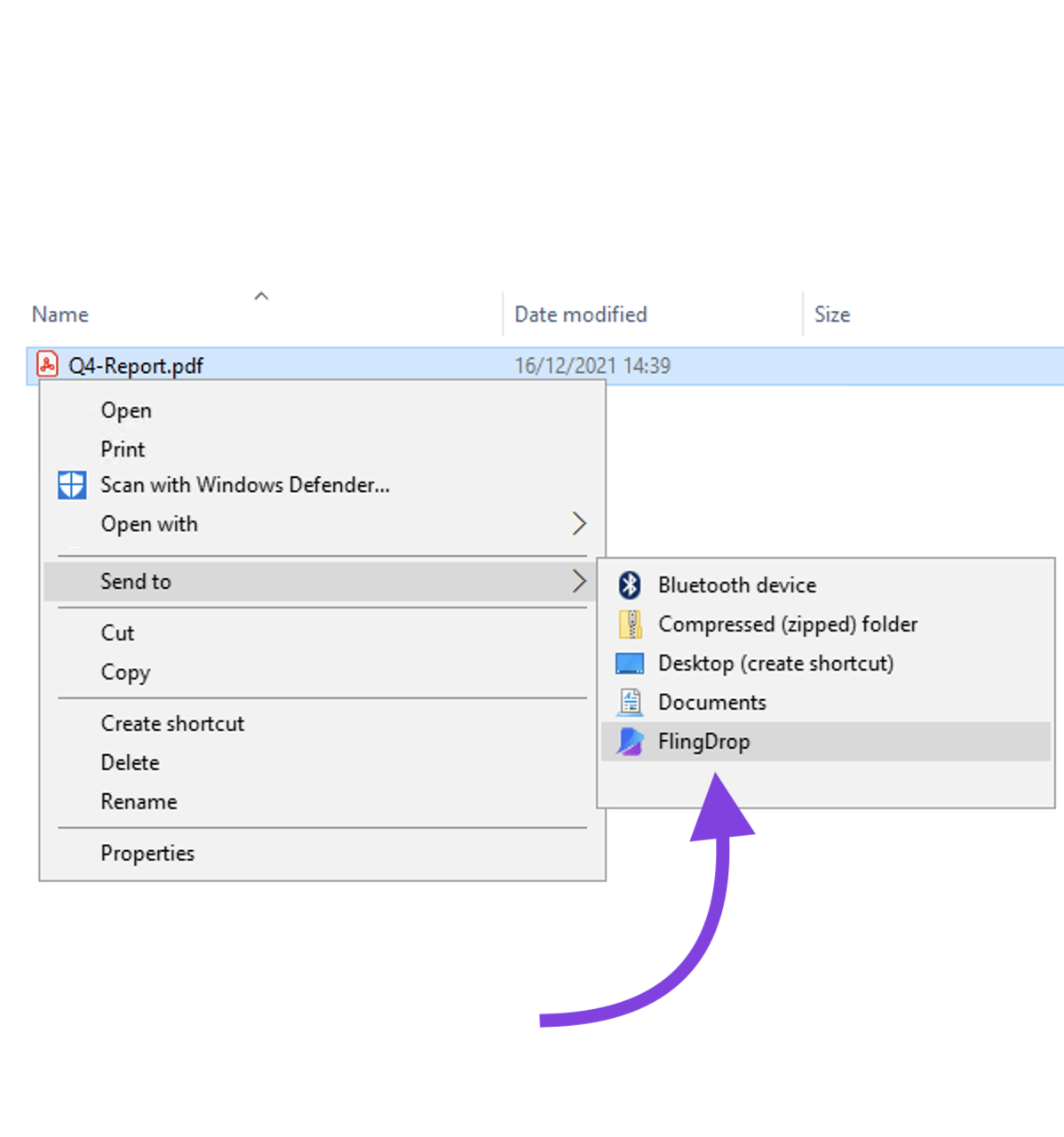
Available for Windows and macOS. Right-click or drag and drop → Send with FlingDrop. That simple.
Quick registration
Create your free account in seconds. The Free plan has all the basics. Upgrade when you need more capacity.
Temporary URLs
Your files expire automatically. You decide how long they are available. Maximum privacy.
REST API
Integrate FlingDrop into your applications. Documented and easy-to-use API for developers.
Secure and private
Your files are protected. Encrypted connections and secure storage.
Sharing files has never been easier
Step 1: Upload your file
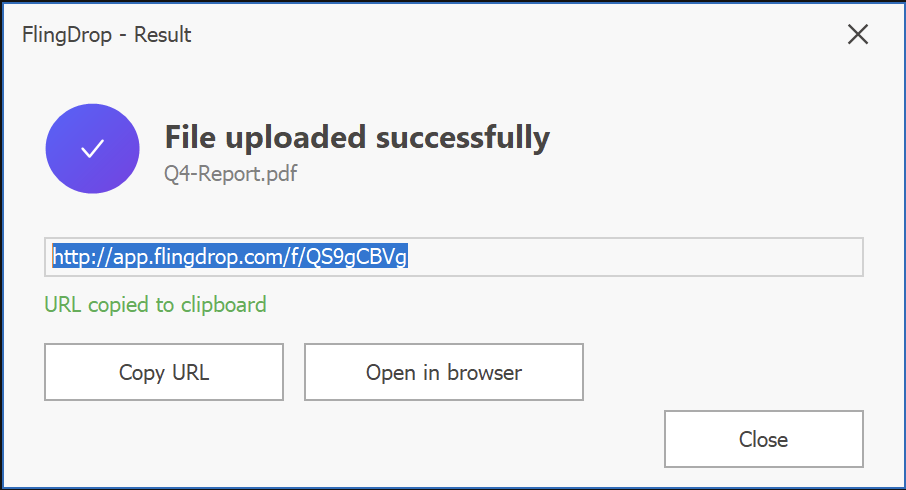
Upload directly from your browser — no software to install. Or use native clients for Windows and macOS. Accepts files up to 100MB on the free plan.
Step 2: Get your link
You immediately receive a unique URL for your file. The link is automatically copied to your clipboard.
Step 3: Share
Send the link by email, chat, or wherever you want. The recipient downloads without needing to register.
Done!
FAQ
Frequently Asked Questions
We answer your questions about FlingDrop
Do I need to register to use FlingDrop?
Yes, you need to create a free account to upload files — registration takes under 30 seconds. However, recipients do not need an account to download. They simply open the unique URL in any web browser. The Free plan includes 5 files per day at 100MB each with 7-day expiration.
How long do my files stay available?
Link expiration depends on your plan. Free plan: 7 days. Pro plan (USD $7/month): 30 days. Business plan (USD $29/month): 90 days. You can also set a shorter expiration at upload time. Once a link expires, the file is permanently and automatically deleted from FlingDrop's servers.
What is the maximum file size I can upload?
Free plan: up to 100MB per file, 5 files/day. Pro plan (USD $7/month): up to 2GB per file, 100 files/day. Business plan (USD $29/month): up to 10GB per file with a 500GB monthly transfer pool. These limits cover the vast majority of business use cases including large videos, design files, and database exports.
How do the desktop clients work?
Download and install the client for Windows or macOS. On Windows, right-click any file in Explorer and select "Send with FlingDrop" — the shareable link is copied to your clipboard automatically. On macOS, drag a file to the menu bar icon or use the Finder Share menu. Both clients require your FlingDrop API Key for authentication, which is sent by email upon registration.
Are my files secure?
Yes. FlingDrop uses HTTPS-encrypted connections for all file transfers and secure server-side storage. Files are permanently deleted after their expiration date. Recipients do not need to create accounts, which reduces the credential-related attack surface. Business plan users also benefit from API Key-based authentication for server-to-server integrations.
Can I use FlingDrop in my application?
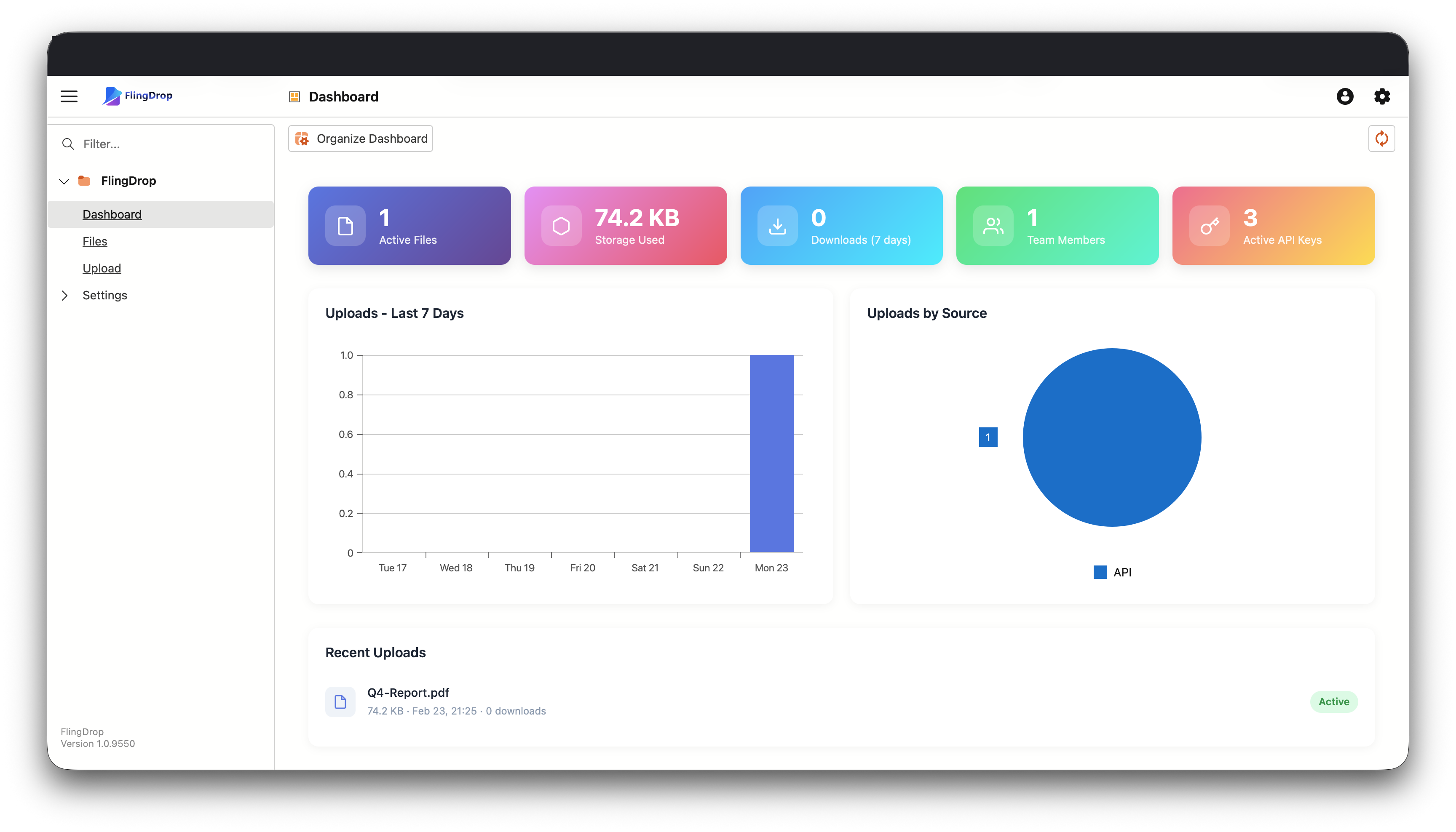
Yes. FlingDrop provides a documented REST API available on the Business plan. Developers authenticate using an API Key via the X-API-Key HTTP header and can programmatically upload files, retrieve temporary download URLs, and manage existing transfers. The API is suitable for integrating file delivery into CRM systems, e-commerce platforms, and internal business tools.
Ready to share?
Join thousands of users who already trust FlingDrop to share their files quickly and securely.